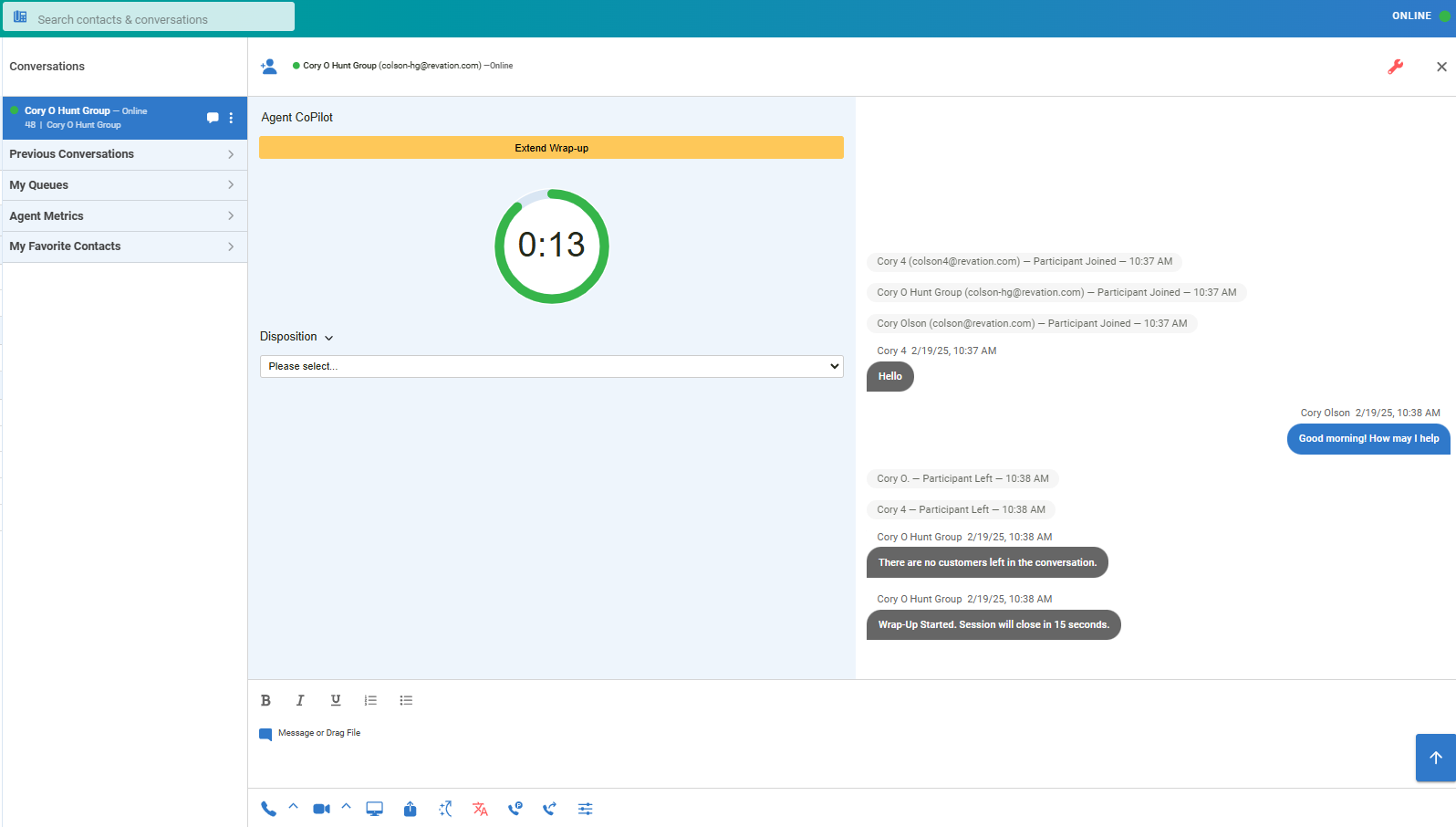
Agent Tools are presented to agents during Chat, Voice and SMS conversations. Some tools are presented while the conversation is active and others are presented during wrap-up. Agent Tools are configurable per queue using LinkLive Admin so your organization may be using a subset of the Agent Tools mentioned below.
Agent Tools during a Conversation
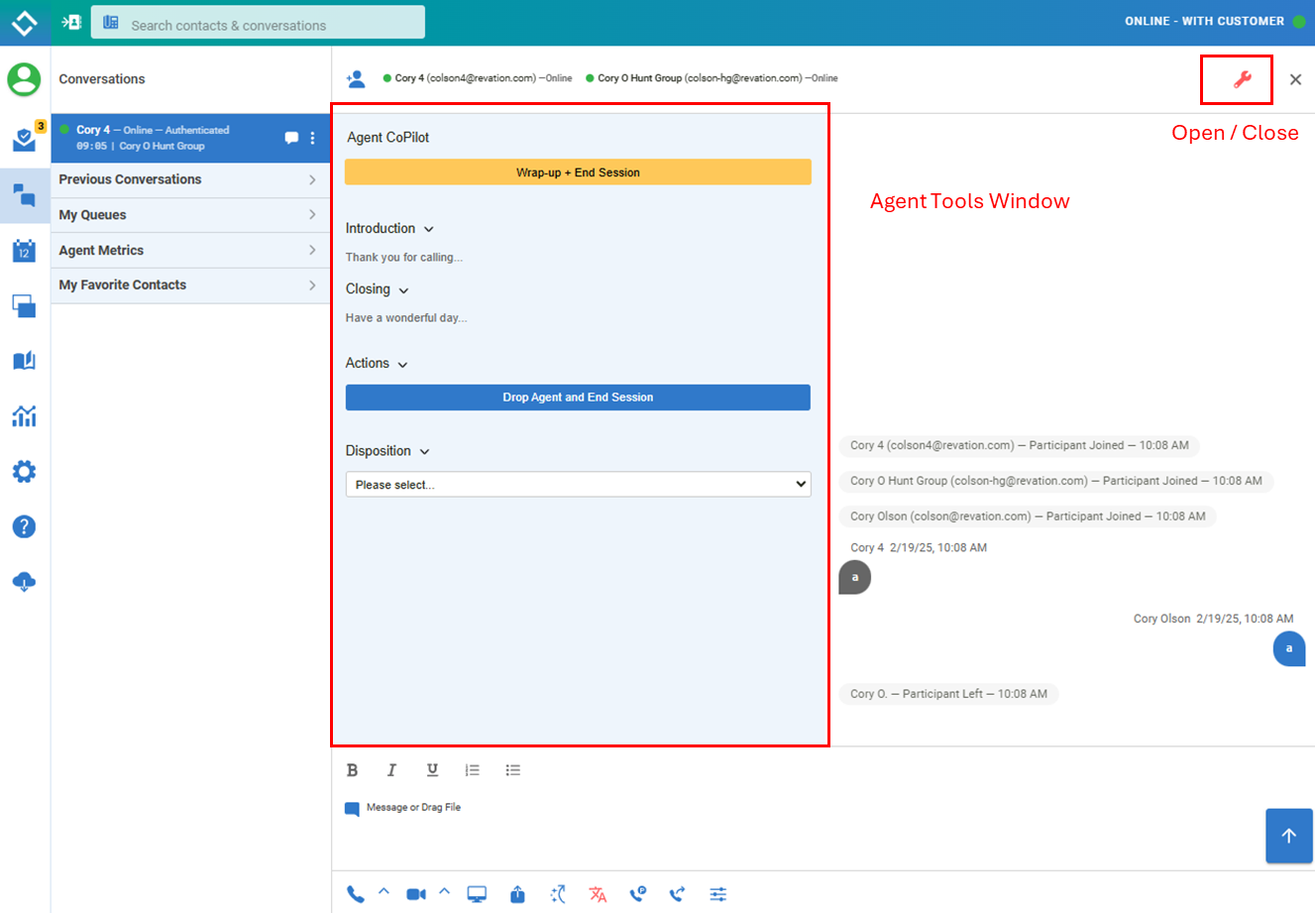
During an active conversation, agents are presented with an Agent Tools window that includes tools configured for your organization. Users can toggle the window open / closed using the red Agent Tools wrench. Agent Tools during a Conversation include
-
Enter Wrap-up button (Wrap-Up and End Session, Wrap Up and Drop): Will display a button that will allow an agent to end the conversation for the consumer and begin wrap-up.
-
Agent Scripts: allows your organization’s intro and outtro scripts to be displayed
-
Dispositions: enables agents to selection Disposition(s) for the conversation
Agent Tools during wrap-up
During wrap-up LinkLive displays a countdown timer to visually remind agents when wrap-up ends. The extend wrap-up button allows agents to extend wrap-up as needed. If configured, agents are able to set disposition(s) during wrap-up.