
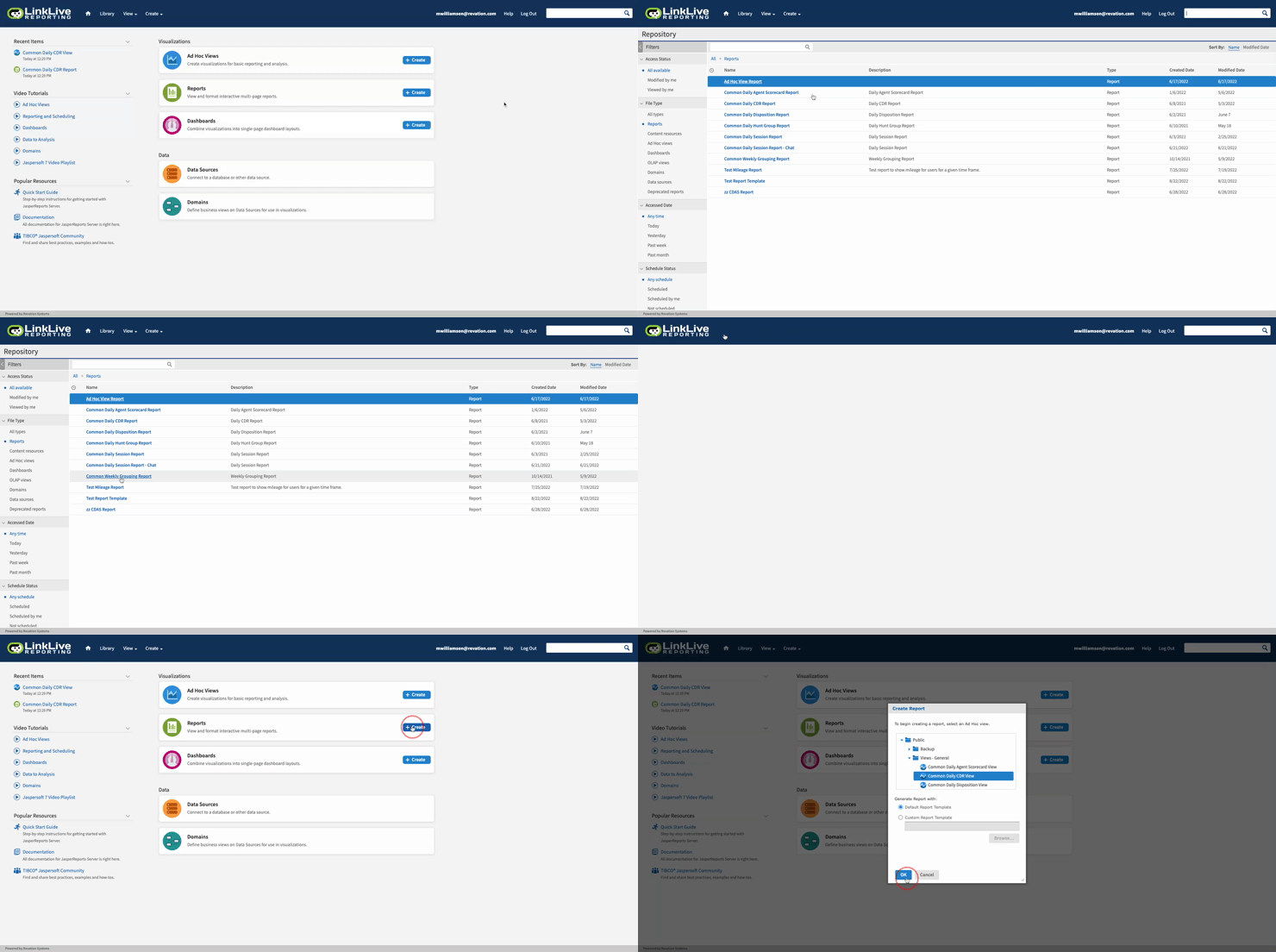
Reports provide access to prebuilt reporting that typically meet all the needs of a supervisor managing the contact center. These prebuilt reports have a prefix of Common. A user can access the reports by simply clicking on the Reports icon. A list of available reports are visibility. If a new report is needed, a user is able to click + Create. This will provide a pop up to select a base report to begin modifications.
An example of accessing the base reporting and creating a new report is shown below.
Exports
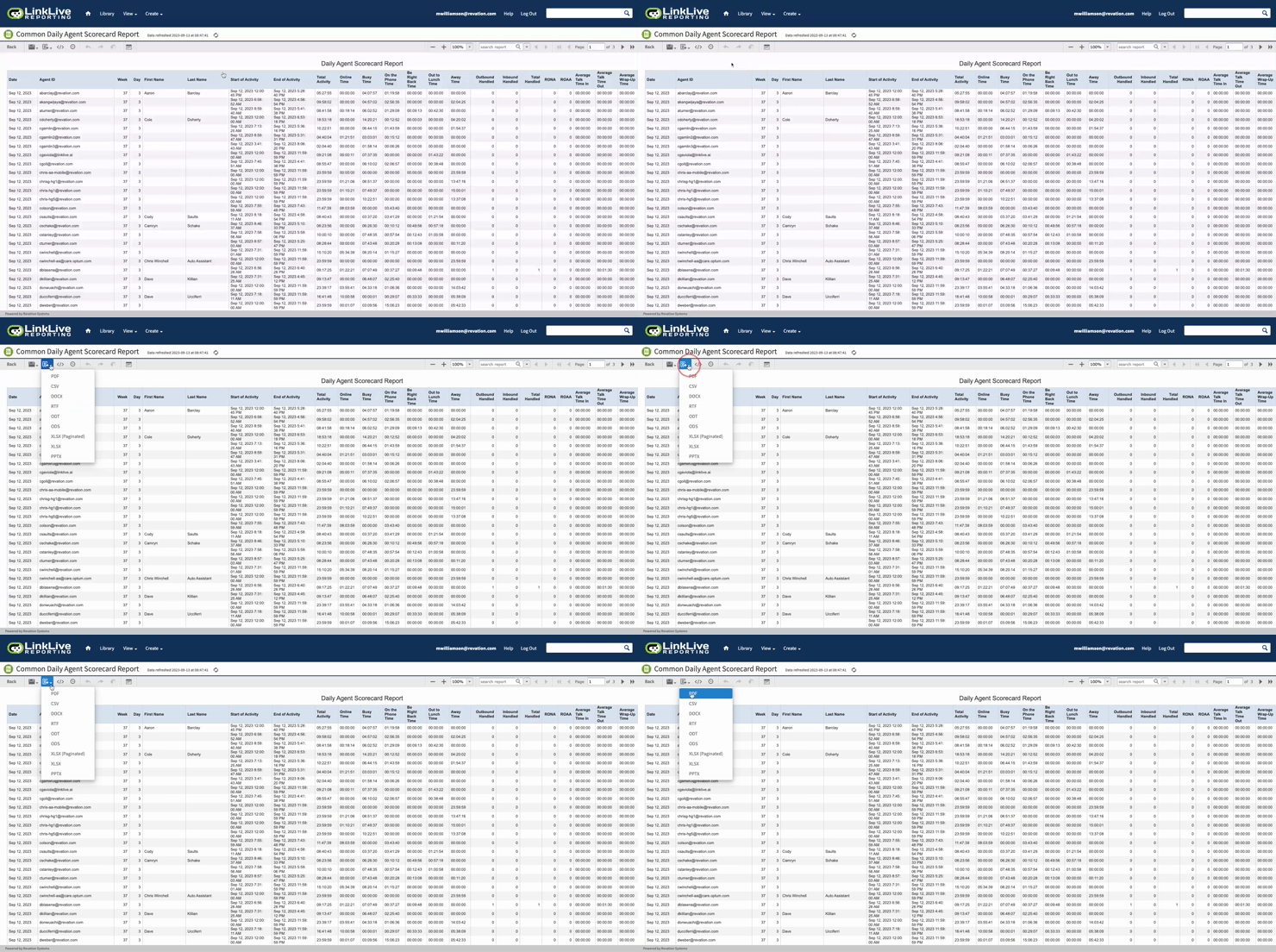
All reports can be exported in a variety of formats to meet your business needs. Standard export formats include the following list.
-
PDF
-
CSV
-
DOCX
-
RTF
-
ODT
-
ODS
-
XLSX (Paginated)
-
XLSX
-
PPTX
This export is accomplished by selecting the export button as outlined below.
Embed
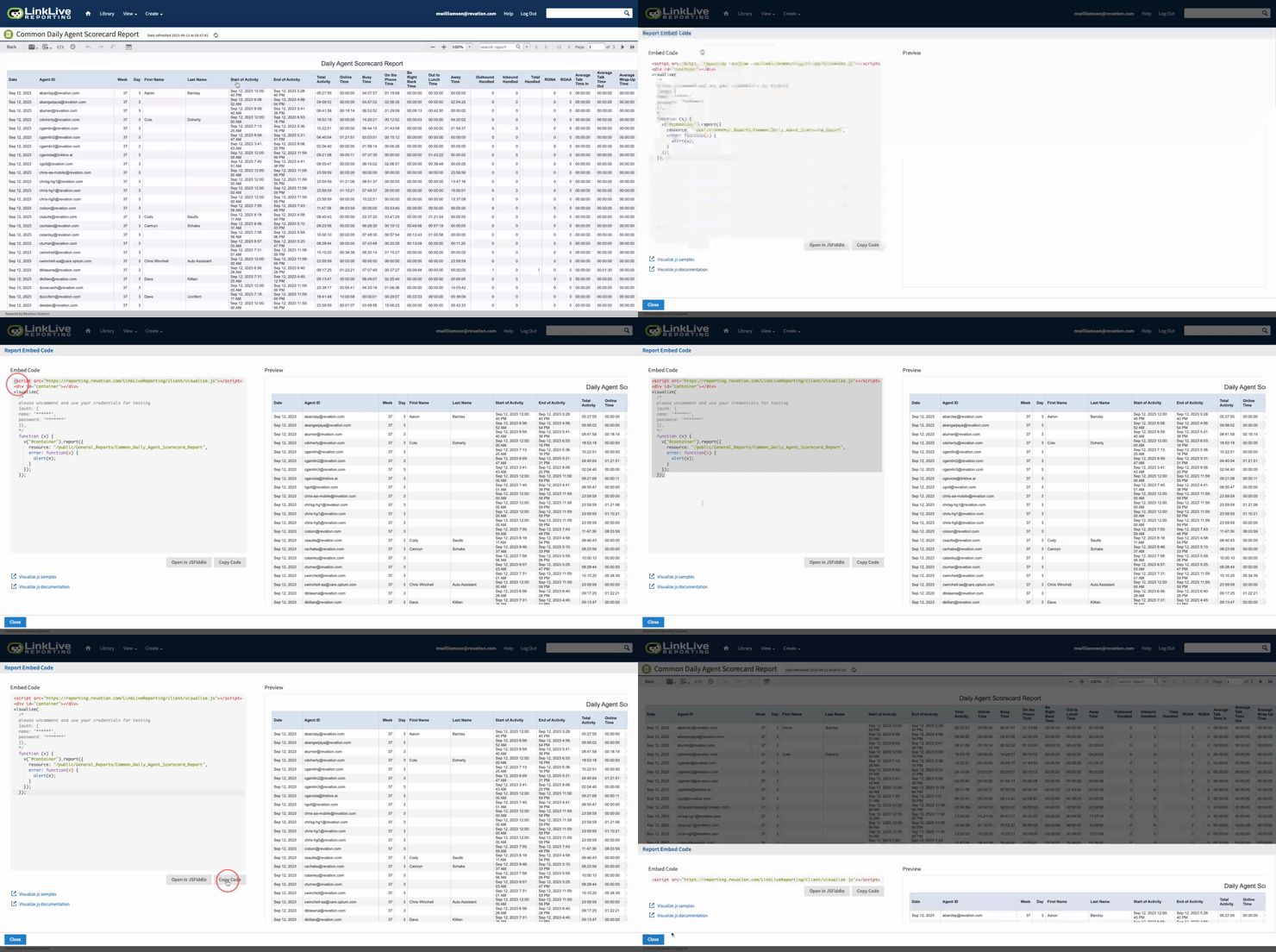
Your development team can quickly embed reports into various systems using the embed link provided. There are various ways to embed this report. Please review the documentation here to successfully embed your report.
Scheduling
Business intelligence reports can be scheduled at any interval desired. Choose a Start Date. This can be immediately or at some specific date in the future. Specify your timezone for an accurate run time.
Recurrence
Reports can be scheduled using a simple selection or a more complex calendar selection. Both options are described below.
Simple
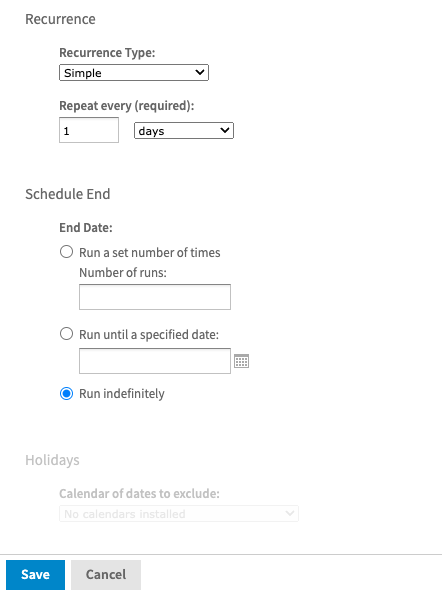
This option supports immediate and deferred start dates and allows for selection of when the report should repeat and any end date that would be required.
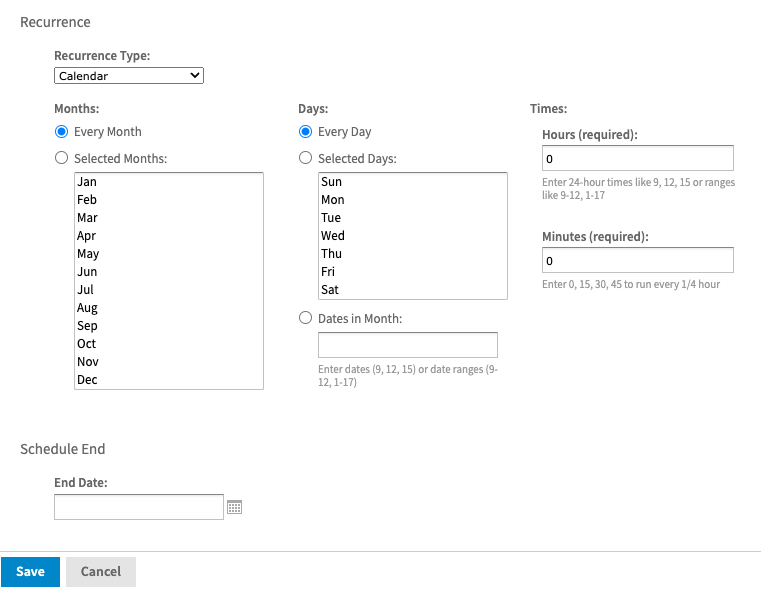
Calendar
This is a more complex configuration that allows for specifying specific months, days, and times for the report to run. You can also specify the end date just like in the simple configuration.
Output Options
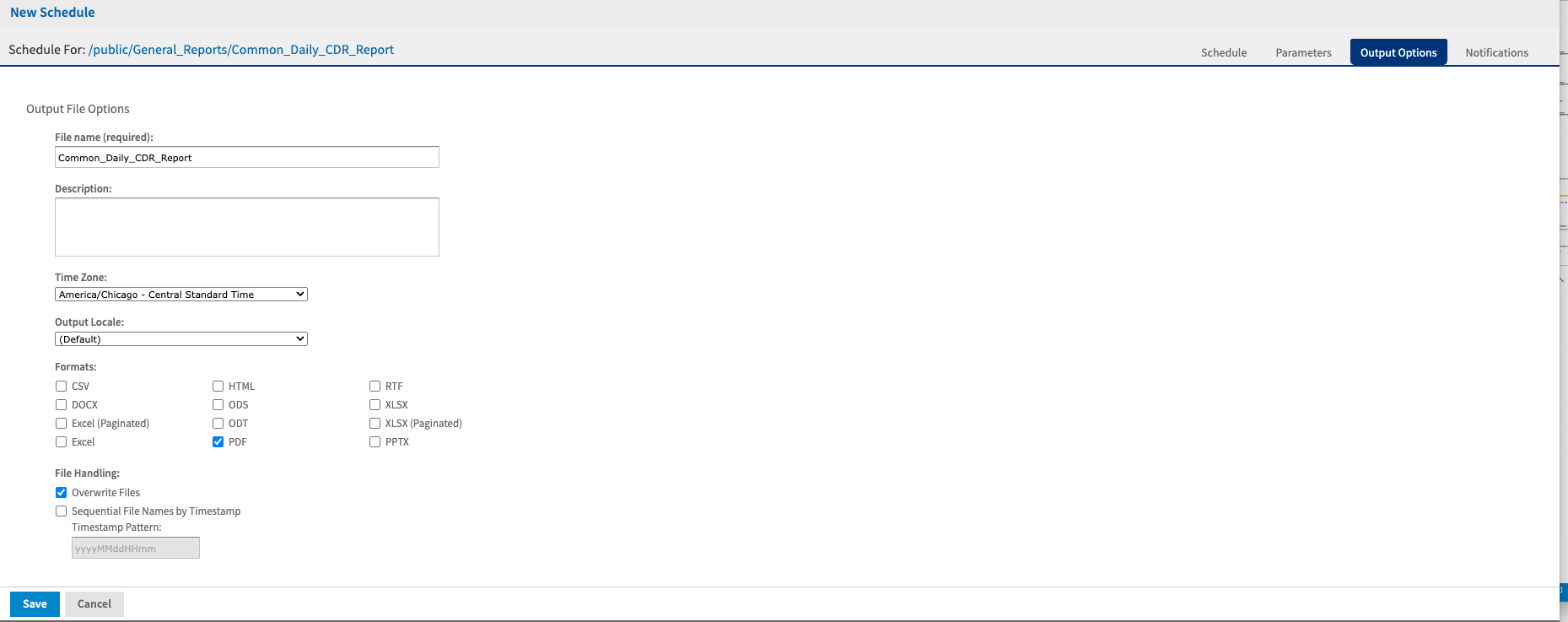
During the scheduling process, you are able to configure various output options that will be used in the generation of your selected report. You can specify the output format, naming conventions and output destination.
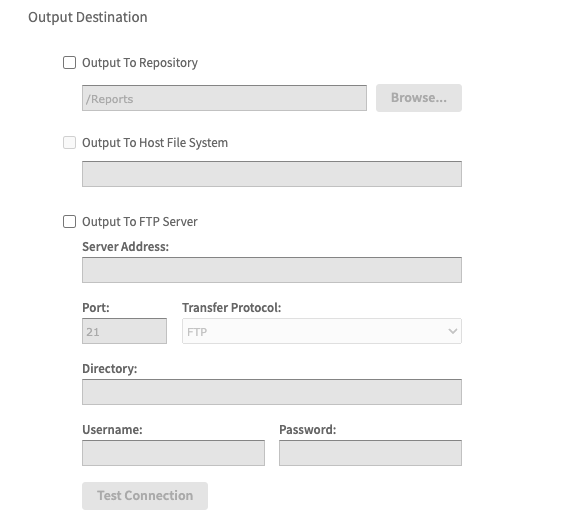
With this output, you can specify uploading the reports to the local file system or sending them to an SFTP or FTP folder of your choice.
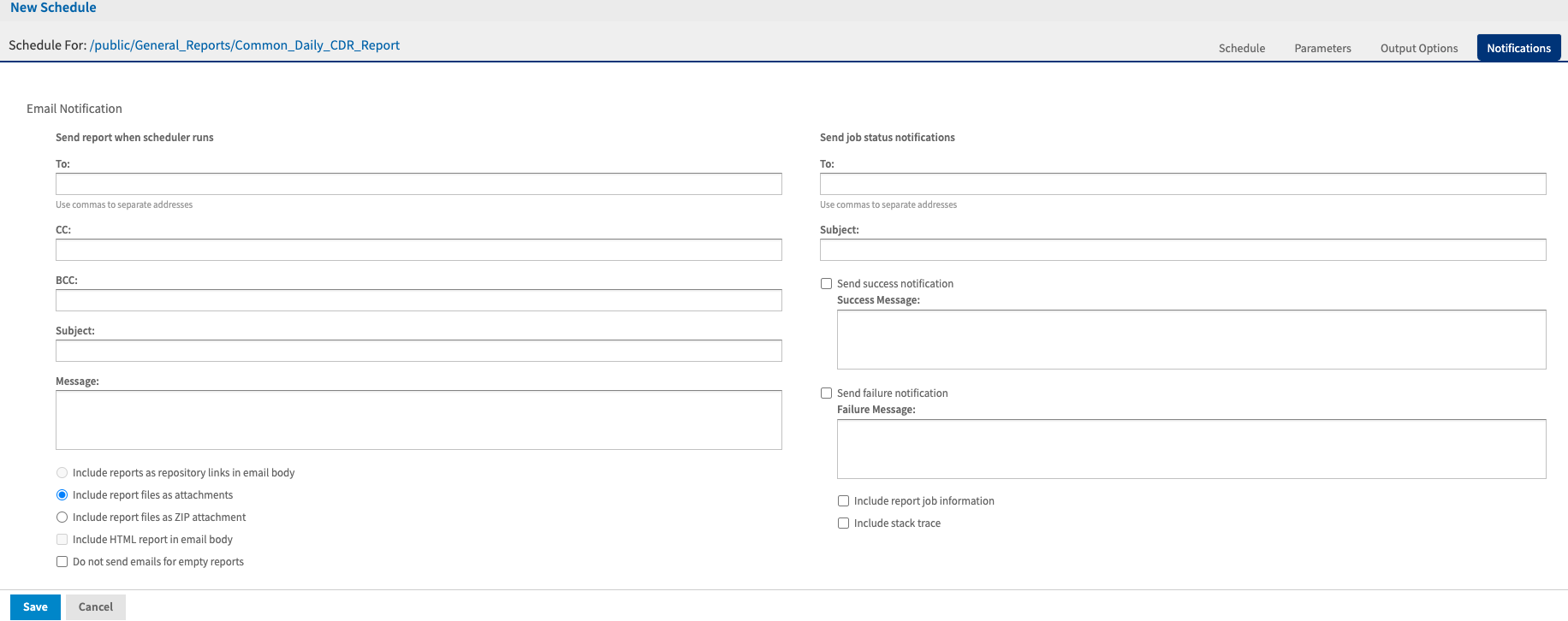
Reports generated can also be sent via email as shown below.
The available standard reports can be viewed in more detail at the links below.