
Date: 08/26/2026
Usage Reports for Chat IVA, Agent CoPilot for Voice and Agent CoPilot for Chat
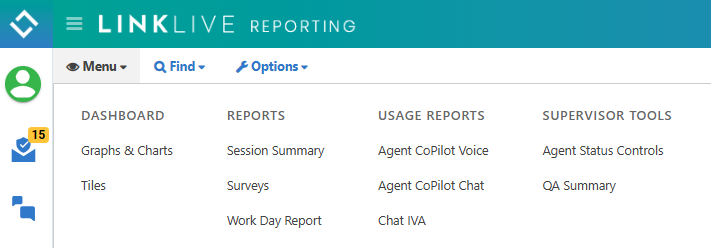
LinkLive Reporting now has usage reports for Chat IVA, Agent CoPilot for Voice and Agent CoPilot for Chat. The usage reports are accessible in the Usage Reports menu and require user to have a Supervisor Profile in LinkLive Reporting. The usage reports can be run for a chosen timeframe for selected queues using the Groups or Group Settings in the Options Menu. Additionally, users can download the reporting data from the Options menu using the Download Usage Summary or Download Usage Details links. Please note that the Chat IVA usage reports require your organization to be using LinkLive Stack 26.07.1 and the data in the Chat IVA report will start on the day of your upgrade to that release
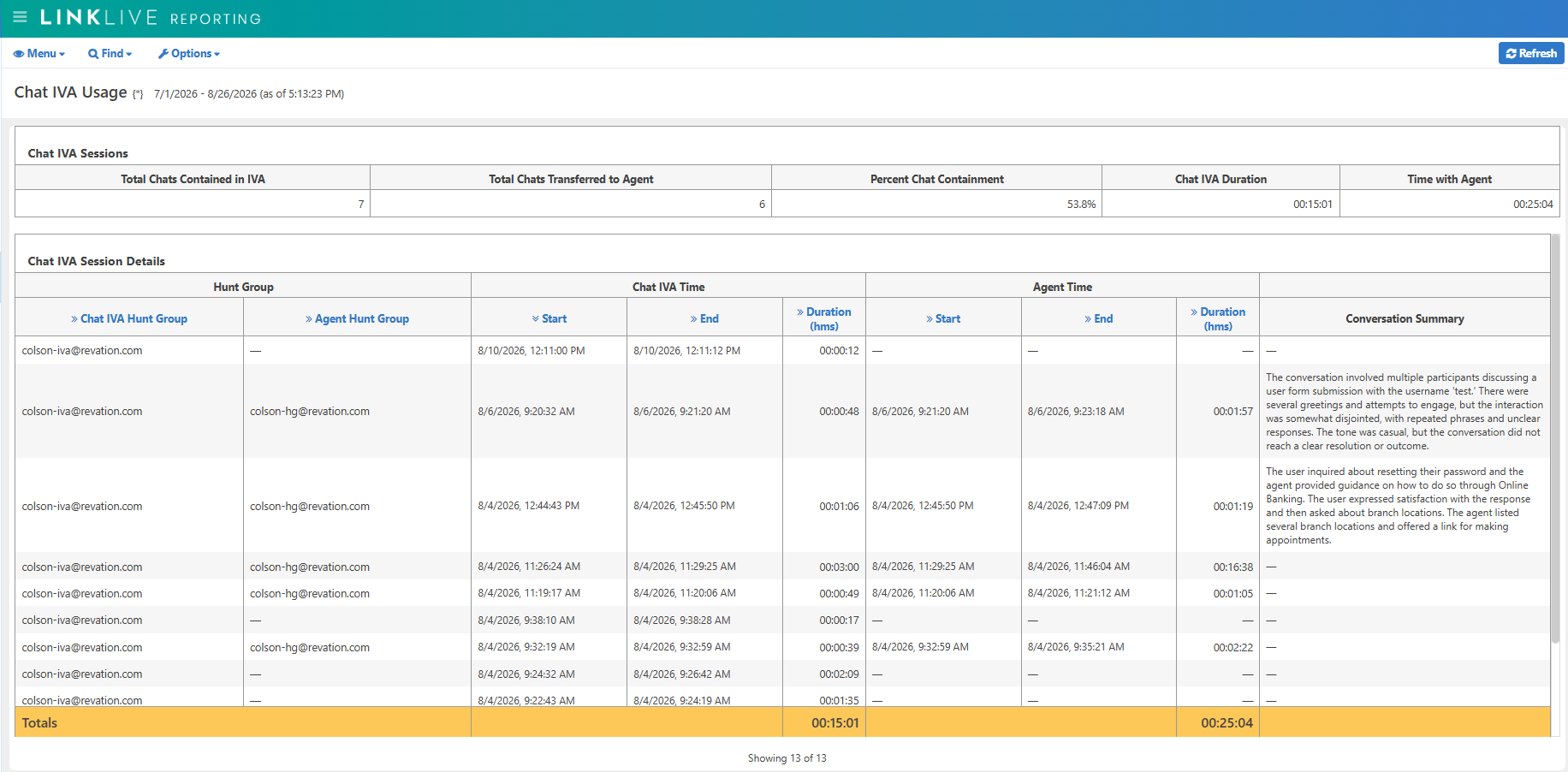
Chat IVA Usage Report
The Chat IVA Usage Report includes a Chat IVA Sessions summary that shows the Chat IVA containment rate (percent of Chat IVA sessions that do not use a live agent), total number of chat sessions and chat time duration of within the IVA (virtual agent) and with live agents. The Chat IVA Sessions Details shows each of the Chat IVA sessions for the selected timeframe. The column headers can be sorted. Each Chat IVA session includes the Chat IVA huntgroup, the Agent huntgroup if the chat user transferred to an agent, the date, timestamp and time duration for both the Chat IVA interaction and the Agent Chat interaction and the AI generated Conversation Summary for the agent chat portion of the chat session. Note that your organization must have the Agent CoPilot Conversation Summary for chat sessions activated to have Conversation Summary content generated.
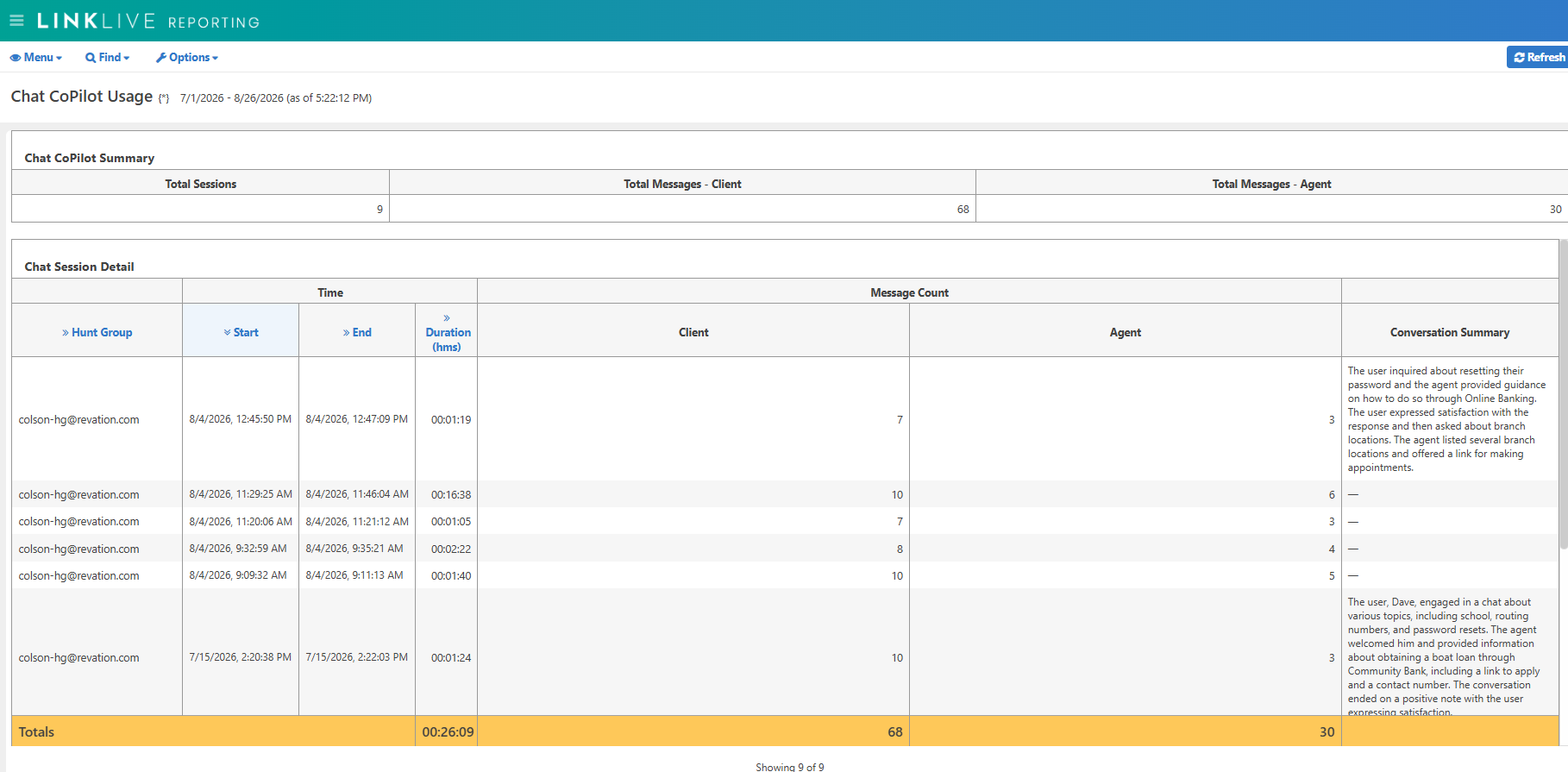
Agent CoPilot Chat Usage Report
The Agent CoPilot Chat Usage Report includes a Chat CoPilot summary that shows the total number of Chat CoPilot sessions and total chat message counts for the client and the agent. The Chat Session Details shows each of the Agent CoPilot Chat sessions for the selected timeframe. The column headers can be sorted. Each Agent CoPilot Chat session includes the queue for the chat, date, timestamps and time duration of the Agent CoPilot (time that the agent is chatting with the customer), chat message counts for the client and agent, and the AI generated Conversation Summary. Note that your organization must have the Agent CoPilot Conversation Summary for chat sessions activated to have Conversation Summary content generated.
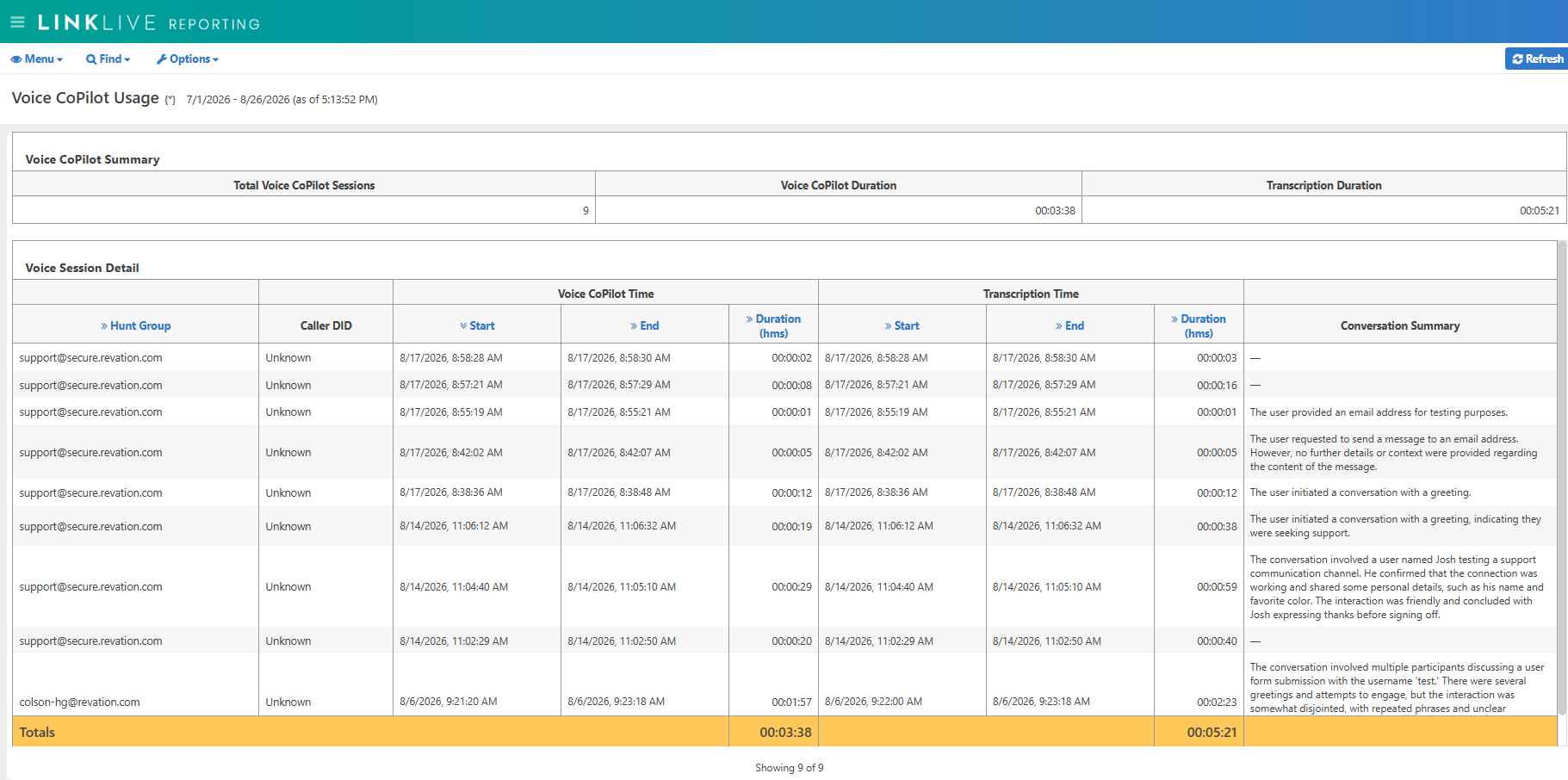
Agent CoPilot Voice Usage Report
The Agent CoPilot Voice Usage Report includes a Voice CoPilot summary that shows the total number of Voice CoPilot sessions, the Voice CoPilot time duration (time that the agent is speaking with the caller) and the Transcription Duration from both caller and agent conversations during the time the agent is speaking with the caller. The Voice Session Details shows each of the Agent CoPilot Voice sessions for the selected timeframe. The column headers can be sorted. Each Agent CoPilot Voice session includes the queue for the call, Caller ID of the caller, date and timestamps for both the Voice CoPilot (time that the agent is speaking with the caller) and the Transcription Duration, and the AI generated Conversation Summary. Note that your organization must have the Agent CoPilot Conversation Summary for voice sessions activated to have Conversation Summary content generated.
-
Numerous performance and bug fix updates
Past Updates