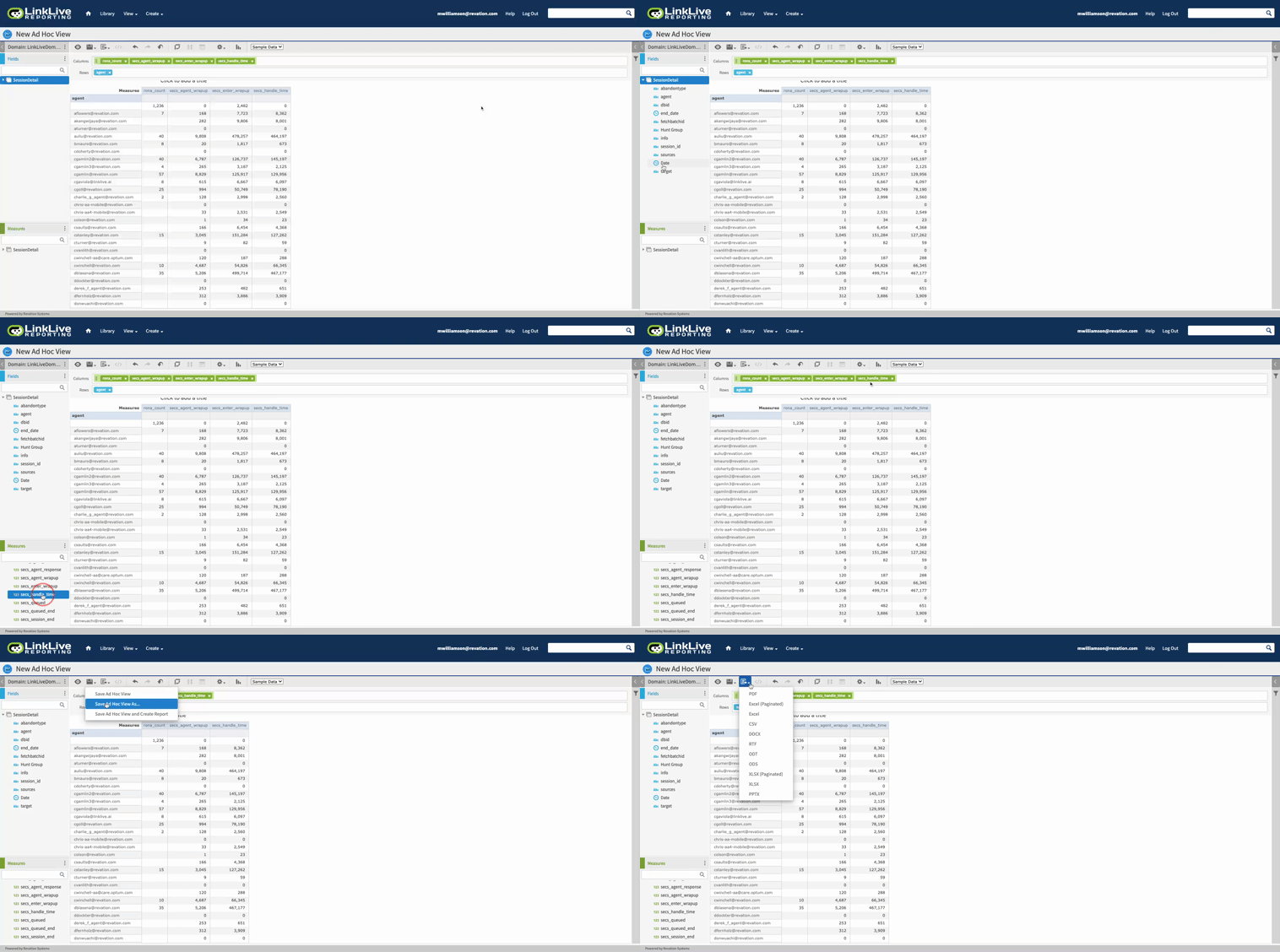
Ad Hoc Views provide access to custom reports. A user can choose to start with a preconfigured report or start from scratch to build their own valuable insights. Outlined below will be the steps needed to build a custom report using both approaches.
Custom Report from Scratch
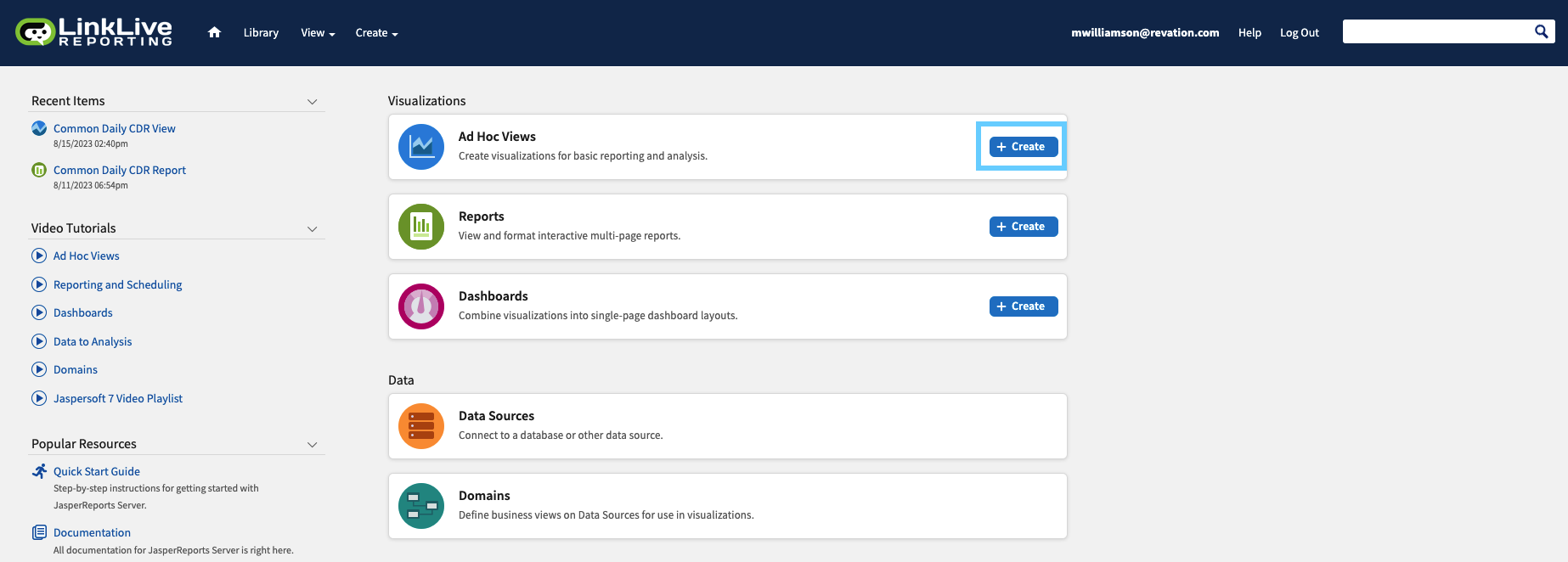
Begin the process by clicking + Create within the Reporting Home section as shown below.
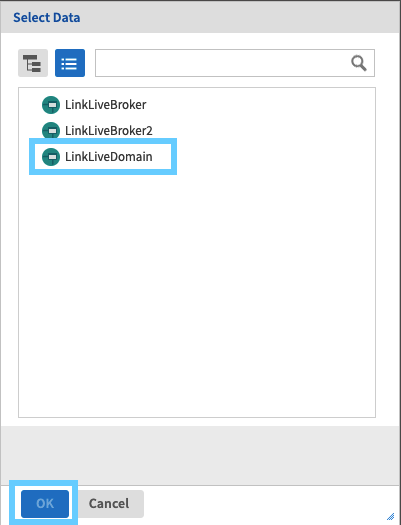
Select your data set. We will work with LinkLiveDomain.
Select the data fields that are most interesting to you. For our example, we want to better understand session detail within our environment.
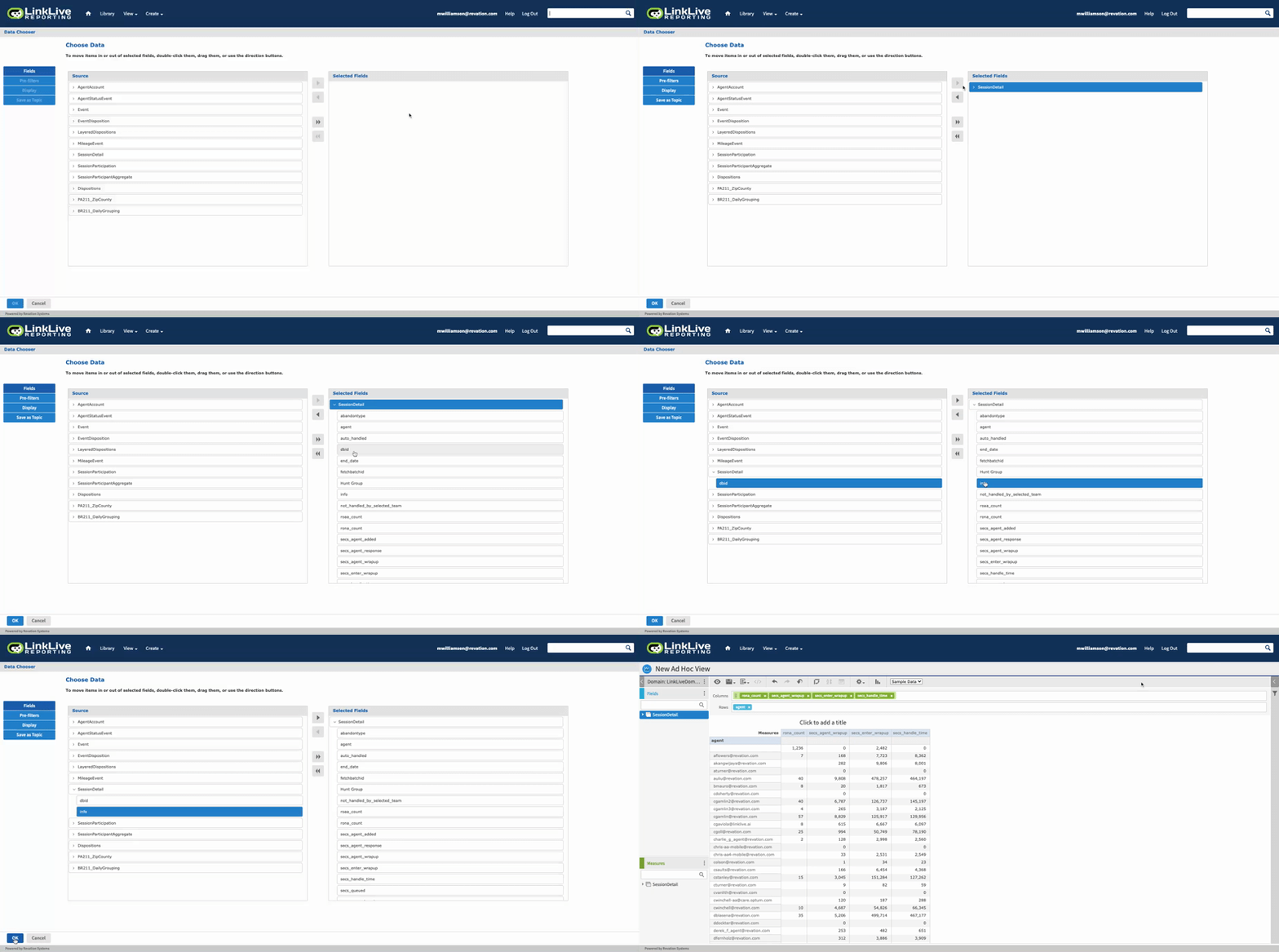
Begin adding columns and rows that meet your needs for this Ad Hoc report. This can be accomplished through simply double clicking the field of dragging the field to the desired destination.